Independent insights, hands‑on testing, and side‑by‑side comparisons of Magento 2 extensions.

Popular articles


In the landscape of modern digital commerce, managing corporate accounts in Magento 2 Adobe Commerce (B2B) is the strategic foundation of a professional B2B relationship. Unlike B2C, where a single user makes personal purchasing decisions, B2B commerce involves complex organizational structures, shared budgets, and multi-layered approval processes that require a specialized architectural approach.
Magento 2 Adobe Commerce addresses these challenges by shifting the focus from the individual "Customer" to the "Company" entity. This hierarchical ecosystem allows businesses to register, define internal sub-users, and establish autonomous purchasing rules, while the merchant maintains global control over pricing, catalogs, and credit terms to reduce operational friction.
What is a corporate account in Magento B2B
A corporate account in Magento B2B is a company-level entity representing an entire organization rather than a single individual. In this architecture, the company is the primary record, and individual employees are associated as sub-users. This structure aggregates data—such as order history and credit balances—at the organizational level while providing personalized access.
Core elements of corporate accounts
- Company profile: The master data containing legal information, tax IDs, and primary contacts.
- Company users: Individual employees tethered to the organization’s global rules.
- Roles and permissions: A granular Access Control List (ACL) dictating what each user can perform, from viewing prices to placing orders.
- Shared catalogs: Custom product views showing only negotiated items and contract pricing.
- Payment terms and credit: The "Payment on Account" feature allowing purchases against a defined credit line.
- Approval workflows: Internal rules requiring manager authorization before order finalization.
Common B2B use cases
These features support procurement teams where junior buyers draft carts for senior managers to approve, or multi-buyer organizations where dozens of department heads order supplies against a single centralized corporate credit limit.
How to manage corporate accounts in Magento B2B
Company profile management
The company profile is the "source of truth" for the business relationship. In Magento 2 Adobe Commerce, the profile controls several critical variables that dictate how the system treats the organization, including tax rules and default customer group assignments.
Configuring the company profile
To manage these accounts, administrators navigate to Admin > Customers > Companies. From this grid, you can approve registration requests or manually create accounts. Key configurations include:
- Customer group assignment: Determines the baseline tax rules and pricing before custom catalogs are applied.
- Account status: Merchants can set status to Active, Pending, or Blocked. Blocking an account immediately revokes access for all sub-users, providing a rapid kill-switch for credit risks.
- Admin assignment: Designating a primary contact with the authority to manage the company's internal structure.
Company user and role management
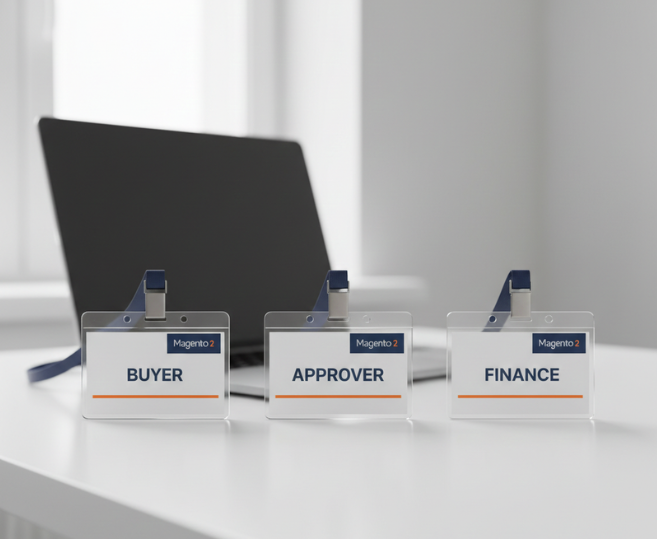
Managing corporate accounts in Magento B2B involves delegating user management to the client. The company admin has a unique storefront dashboard to create an internal hierarchy without merchant intervention, which is essential for scaling large accounts.
Role-based access control (RBAC)
Role separation is critical to prevent unauthorized spending. Common roles include:
- Buyer: Authorized to browse and create carts but restricted from seeing credit balances.
- Approver: A manager who reviews and authorizes the carts of subordinates.
- Finance: Users who manage addresses and payment methods but do not place orders.
Defining permissions
In the backend, merchants can audit roles, but the granular control happens via permissions. Permissions can be restricted to specific actions like "View Quotes," "Use Company Credit," or "View Order History." By limiting access to checkout, merchants ensure only authorized personnel can commit the company to financial obligations.
Approval workflows for corporate purchasing
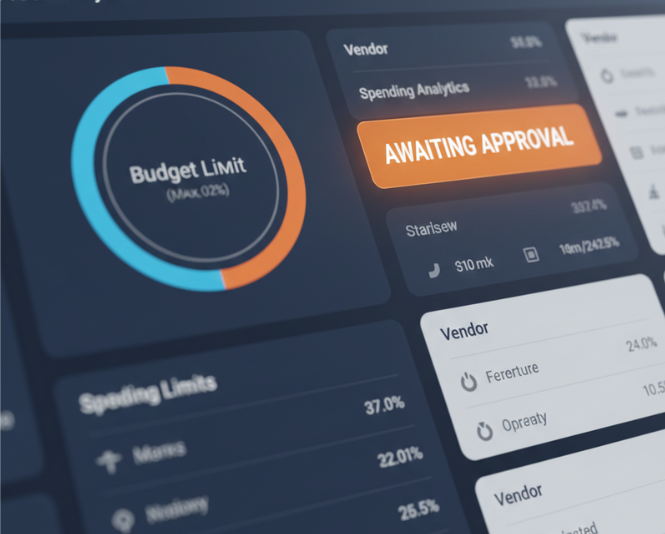
Approval workflows allow businesses to digitize internal spend controls, ensuring compliance with procurement policies and reducing high-value order errors. This is a primary differentiator for enterprise-level B2B platforms.
Configuring approval rules
Navigate to Admin > Customers > Companies > Approval Rules to enable purchase order (PO) approval. The system supports complex conditional logic that triggers based on specific cart attributes:
- Order total thresholds: You can set rules requiring approval for any order exceeding a specific amount (e.g., $1,000). Advanced setups allow for "Grand Total" or "Shipping Cost" triggers to capture hidden procurement costs.
- Number of SKUs: Approval can be triggered if the order contains a high volume of line items, preventing bulk errors in logistics.
- Payment method triggers: Forcing review when specific credit lines or high-risk payment methods are used.
- Approver assignment: Magento allows designating specific roles or individual users to review pending orders. In complex organizations, multiple roles can be set as approvers, ensuring that a "Finance Manager" and a "Project Lead" both sign off on high-value transactions.
Once a rule is triggered, the order enters a "Pending Approval" state. The buyer is notified that their order is awaiting review, while the approver sees a "Requires My Approval" tab in their storefront account dashboard. Approvers can review the full line-item details, applied discounts, and shipping addresses before choosing to approve, reject, or leave comments for the buyer.
Shared catalogs and company-specific pricing

Standard pricing is rarely sufficient for B2B, where rates are negotiated per contract. Shared catalogs act as a customized "filter" over the master database, ensuring buyers only see relevant products at their specific contract rates.
Implementing shared catalogs
Via Admin > Catalog > Shared Catalogs, merchants can manage two catalog types: Public (for B2C/Guests) and Custom (for specific B2B companies).
- Product selection and restriction: Merchants pick specific SKUs available to the company. This is crucial for "Exclusivity Agreements" where certain items must only be visible to specific enterprise clients.
- Advanced pricing configurations: Beyond simple fixed prices, Magento supports "Tier Price" unique to the organization. This allows for bulk-buy incentives (e.g., "Buy 100 units for $5 each") that are invisible to other clients.
- Category permissions: You can hide entire categories from a company’s view, simplifying the user interface for their buyers who only need access to a specific subset of your inventory.
- Automatic application: The system uses the company-customer association to automatically render the correct catalog upon login. This ensures a seamless UX where the buyer never sees "Retail" prices, maintaining the integrity of the negotiated contract.
Payment terms and credit management
Managing corporate accounts in Magento B2B effectively requires robust financial oversight, specifically through the "Payment on Account" method. This digital credit line enables enterprise buyers to bypass immediate payment barriers, streamlining high-volume procurement.
Credit configuration and limits
Under Admin > Customers > Companies > Advanced Settings, merchants can define the financial boundaries of the relationship:
- Allocating credit limits: Setting the maximum outstanding balance allowed. This should be aligned with the client’s creditworthiness and historical spend.
- Exceeding credit limits: Merchants can toggle whether the system should strictly block checkout once the limit is reached or allow a "buffer" for trusted partners.
- Balance tracking and currency: Real-time visibility into the "Outstanding Balance" and "Available Credit." In Adobe Commerce, these balances update instantly as orders are placed or invoices are paid.
- Role-based usage: Administrators can restrict credit usage to senior procurement roles. This ensures that while junior staff can build carts, they cannot exhaust the corporate credit line without oversight.
Quotes and negotiated purchasing
The B2B quote workflow facilitates a dynamic Request for Quote (RFQ) process, enabling a digital dialogue that replaces manual, email-based negotiations.
The technical quote lifecycle
Enabled via Admin > Stores > Configuration > General > B2B Features, the native workflow provides a structured audit trail:
- Request for quote: Authorized buyers submit their cart as a quote request. They can attach documents, request specific delivery dates, and leave notes for the sales representative.
- Seller review and counter-offer: Sales reps receive notifications in the backend and can modify the quote. This includes adjusting individual line-item prices, adding "Negotiated Shipping" costs, or suggesting alternative SKUs to meet budget constraints.
- Buyer acceptance or counter: The buyer reviews the revised quote on the storefront. They can accept the terms or counter-offer, keeping the negotiation within the platform's ecosystem.
- Checkout conversion: Once both parties agree, the quote is locked. The buyer converts it into a formal order, which then follows standard approval rules and payment logic.
Managing corporate account security and governance
In an enterprise environment, security goes beyond simple password protection; it requires a governance framework to prevent unauthorized spending and data leakage.
Best practices for B2B governance
- Periodic access reviews: Merchants and company admins should regularly audit the user list. This ensures that employees who have left the client’s organization are promptly disabled.
- Permission escalation audits: Monitoring for "Permission Creep," where users accumulate more access rights than their current role requires.
- Safe account suspension: Use the "Disable" function for both users and entire companies. Unlike deletion, disabling preserves historical order data and credit logs, which are essential for year-end audits and legal compliance.
- Activity logging: Monitoring the storefront "Action Log" to track who created a quote, who approved an order, and who modified the company profile.
When the default Magento B2B is not enough
While native features are powerful, complex enterprises often face architectural limitations. Managing corporate accounts in Magento B2B effectively for global conglomerates may require multi-level approval chains (e.g., Buyer -> Department Manager -> Regional VP) or custom company attributes (e.g., internal cost centers) that are not present in the default schema.
To bridge these gaps, businesses should adopt a two-pronged strategy:
- Strategic integrations: Deep ERP and IAM (Identity and Access Management) integrations are essential for real-time credit syncing and Single Sign-On (SSO). Using Adobe Commerce APIs to sync the Company and CompanyCredit entities with external systems like SAP or Microsoft Dynamics ensures financial data integrity.
- Specialized third-party solutions: Specialized third-party solutions help close functional gaps without the cost and risk of custom development. The BSS Magento 2 Company Account extension, for instance, provides advanced role-based permissions for managing complex buyer–approver hierarchies. Read the full BSS Commerce Magento 2 Company Account review for an in-depth feature breakdown.
Merchants should always prioritize API-first modifications and Adobe App Builder over deep core code overrides to ensure the platform remains upgradable and secure.
Best practices for scaling corporate account management
As your B2B operations grow from hundreds to thousands of organizations, operational efficiency becomes the primary bottleneck. Scaling requires a shift from manual configuration to standardized governance.
Architectural principles for growth
- Standardize customer groups and shared catalogs: Avoid creating a unique customer group for every company. Instead, use broad tiers (e.g., "Silver," "Gold," "Platinum") and utilize Shared Catalogs to handle company-specific pricing variances. This prevents "Customer Group Bloat" which can degrade indexing performance.
- Implement role templates: Provide new clients with standardized role templates (e.g., "Standard Buyer," "Procurement Manager," "Auditor") that they can adopt instantly. This reduces the onboarding time for the client's company administrator.
- Align workflows with actual procurement habits: Analyze order history to ensure digital approval thresholds mirror real-world behaviors. If 90% of orders are being manually approved, your thresholds are likely too low, causing unnecessary friction and operational strain.
- Automate user lifecycle management: For large enterprises, leverage APIs to automate the "Offboarding" of users when they leave the client company, ensuring that access to corporate credit is revoked immediately.
Summary
Managing corporate accounts in Magento 2 Adobe Commerce (B2B) is the key to unlocking enterprise-grade digital sales. By embracing company hierarchies, role-based permissions, and negotiated pricing, merchants reduce operational overhead and provide a professional, self-service experience. A properly configured backend allows the platform to handle procurement complexities, enabling sales teams to focus on growth rather than manual processing.
Subscribe to unlock premium content
Sed at tellus, pharetra lacus, aenean risus non nisl ultricies commodo diam aliquet arcu enim eu leo porttitor habitasse adipiscing porttitor varius ultricies facilisis viverra lacus neque.
A comprehensive guide on Agile development

10 Productivity tools that are worth checking out

Top 7 Must have management tools for productivity

A comprehensive guide on Agile development
10 Productivity tools that are worth checking out
A comprehensive guide on Agile development